Cancel a sequence
Cancel a sequence for a prospect
Section titled “Cancel a sequence for a prospect”- Find the prospect you want to update. You can do this by navigating to the “Prospects” section in the sidebar.
- Click on the prospect’s name to open their details page.
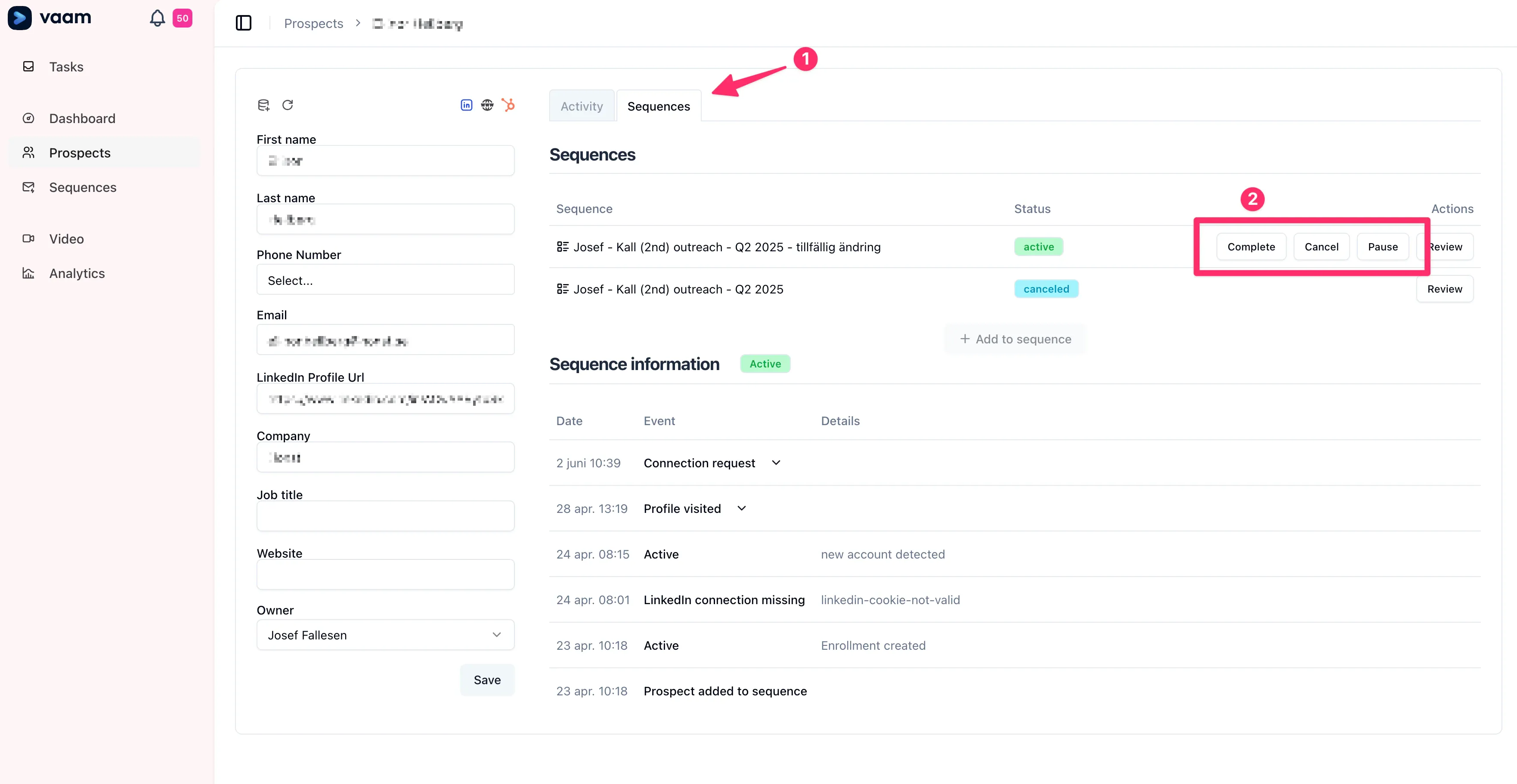
- On the prospect’s details page, click the “Sequences” tab at the top.
- In the list of sequences, locate the sequence you want to cancel.
- Click the “Cancel” button next to the relevant sequence.
The screenshot shows where to find the “Sequences” tab and the “Cancel” button:
After you select “Cancel,” the sequence is canceled for that prospect.