Set recording quality
Set the recording quality in the Vaam extension:
- Start the Vaam extension.
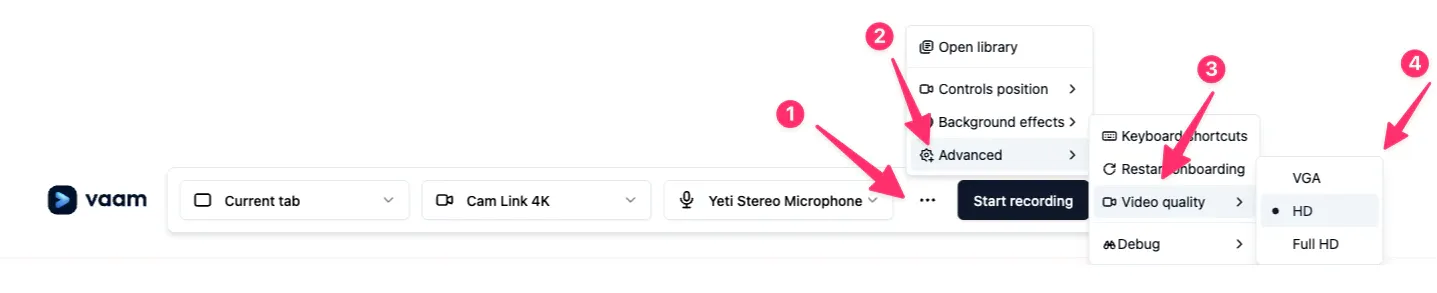
- Click the three-dot menu in the configuration bar at the bottom of the extension window.
- Select Advanced.
- Select Video Quality. Choose one of these options:
- VGA: Lower quality, suitable if you have a slow internet connection or need faster uploads.
- HD (Recommended): Balances video quality and performance. HD suits most users.
- Full HD: Provides the highest video quality. Choose this if you want the best possible recording, but make sure you have a strong internet connection and sufficient bandwidth to support it.
- Select your preferred quality. Vaam saves your selection for future recordings.
Tip: If uploads are slow, switch to VGA for faster uploads. HD suits most users who need a balance of quality and performance.